Most email providers still cap attachments at 25 MB, yet polished pitch decks, product catalogs, and portfolio PDFs regularly exceed that. Free PDF hosting turns a local file into a shareable URL, bypassing inbox limits while keeping your delivery professional.
Why you need dedicated PDF hosting instead of email attachments
Sending a bulky PDF as an attachment creates three problems: it bounces when the file is too large, it clutters the recipient’s inbox, and it strips away any branding you might want to present. A hosted PDF, by contrast, loads instantly in a browser tab with your chosen URL visible in the address bar.
Understanding what a static website is helps explain why this works. A hosted PDF is essentially a static file served from a CDN. There is no server processing, no database query, and no loading spinner. The file is cached at edge locations worldwide, so your reader in Tokyo gets the same instant experience as your client in Paris.
Dedicated PDF hosting also gives you control over the link itself. Instead of a 60-character Google Drive hash, you share something like portfolio.supadrop.site. That single detail changes how a recruiter or client perceives your work before they even open the file.
If all you want is the shortest route from file to URL, our walkthrough on how to turn a PDF into a link is the three-step version of everything below.
Supadrop — Host and share a PDF in under 30 seconds
Supadrop is built for one thing: getting your file online as fast as possible. You drop your PDF on the dashboard, pick a subdomain, and the link is ready. No Git, no terminal, no build pipeline.
Drag-and-drop deployment with a clean URL
The deployment flow has three steps. Open your dashboard, drop your file, copy the URL. Supadrop serves your PDF from the Cloudflare CDN, so it loads instantly regardless of where your reader is located. The free .supadrop.site subdomain is clean enough for professional use, and paid plans support your own custom domain starting at $5 per month.
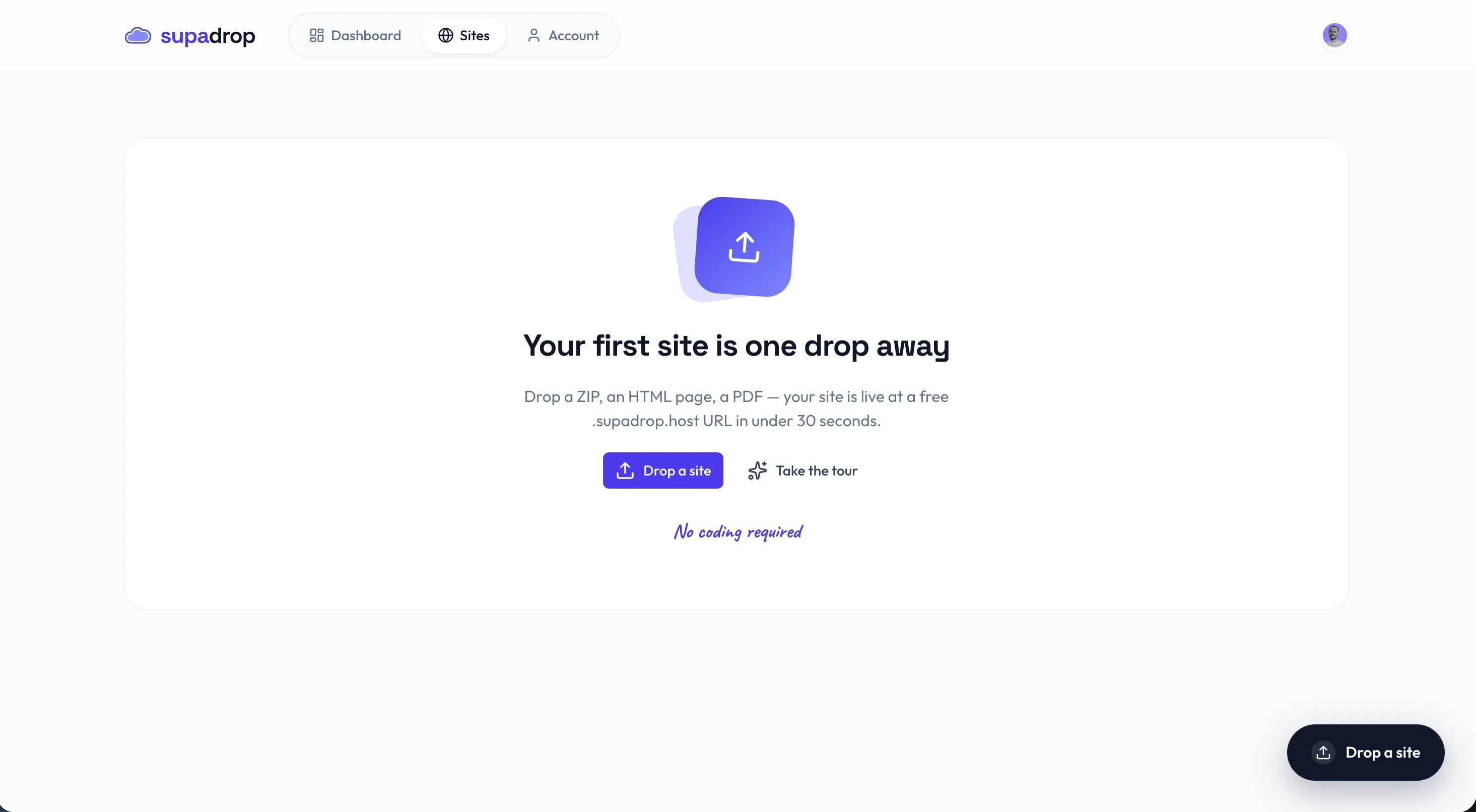
Give your site a name and choose a subdomain. Supadrop checks availability in real time, so you know immediately if your preferred URL is free.
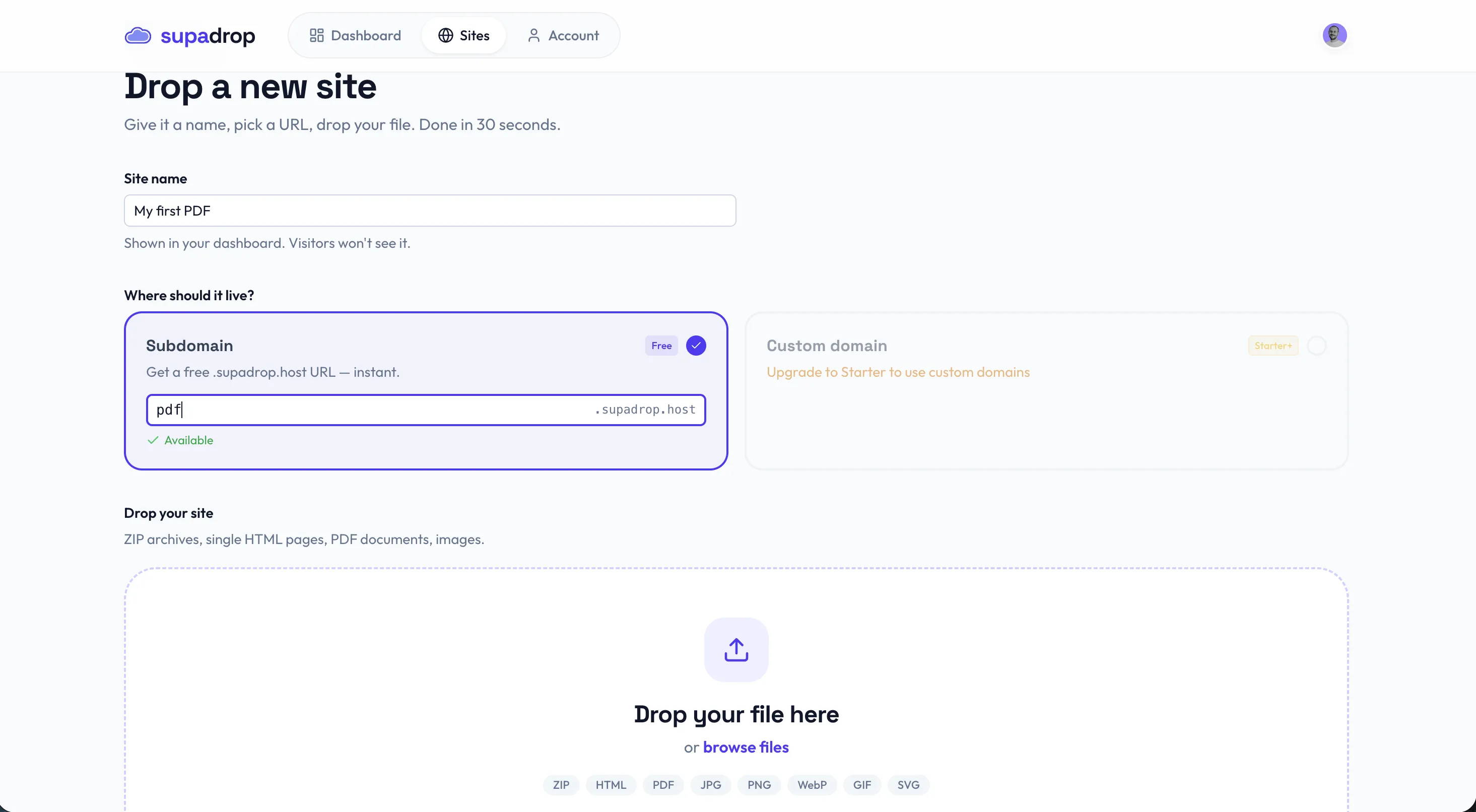
Once the upload completes, your PDF is live. The dashboard shows a preview, the file size, the public URL, and a one-click copy button.
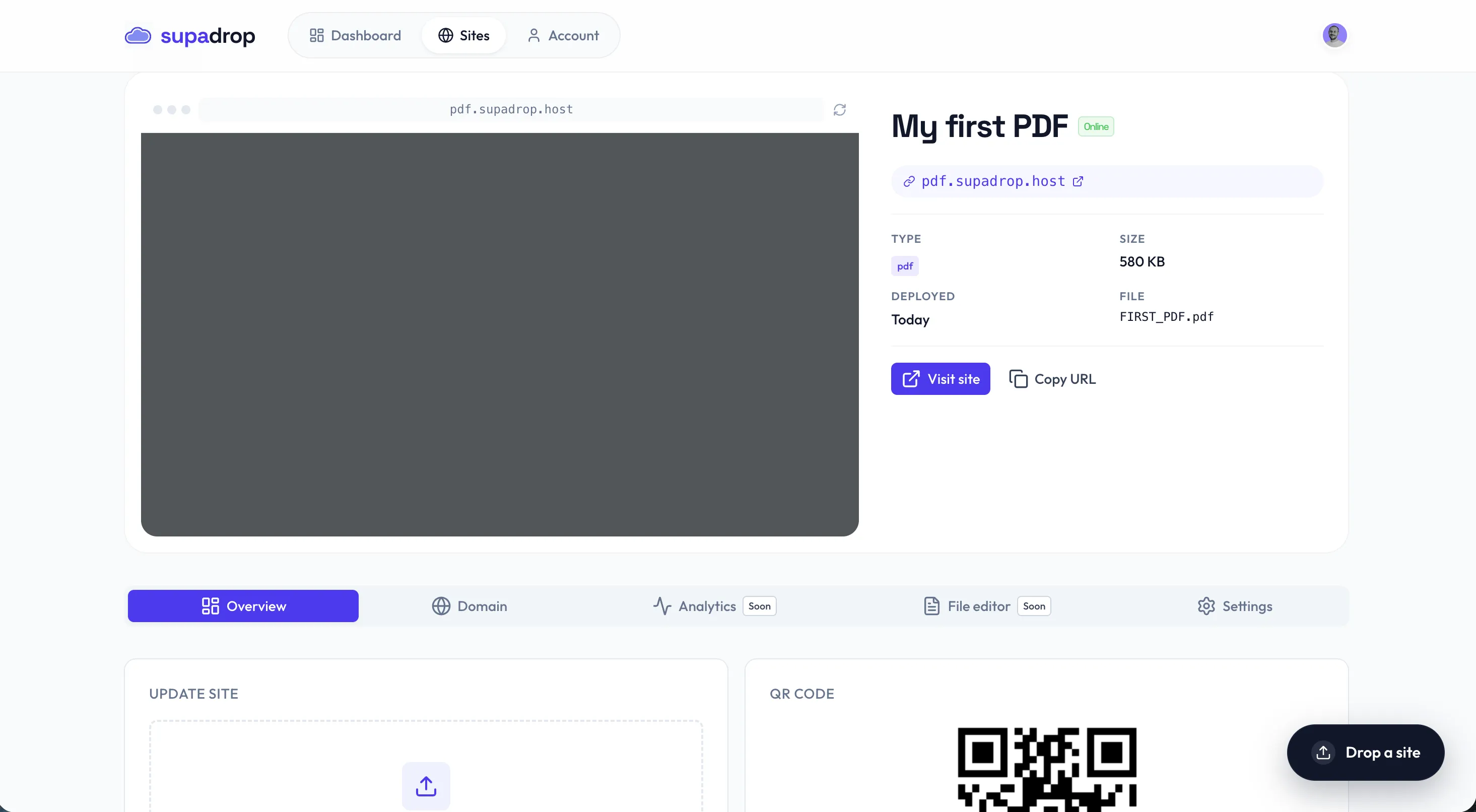
Built-in QR code and custom domain
Every deployed file gets an auto-generated QR code, which is ideal for printed menus, business cards, or event flyers. Our step-by-step guide on how to create a QR code for a PDF covers the full workflow, from upload to print. SSL provisioning is automatic on both free subdomains and custom domains, so your links are always secure.
The 15-day free trial requires no credit card. After the trial, plans start at $5 per month with unlimited bandwidth and no per-visitor charges.
Tiiny.host — Simple uploads with growing restrictions
Tiiny.host is a pioneer in simple static file hosting. The interface is straightforward: upload your file, get a link. For quick, one-off sharing tasks, it still works well.
Where Tiiny.host falls short
The free plan has become significantly more restrictive over the past year. Storage is limited, bandwidth is capped, and you cannot use a custom domain without upgrading to a paid plan. The hosted page also includes Tiiny.host branding, which dilutes the professional look for client-facing documents.
If you are already hitting these limits, our guide to the best Tiiny Host alternatives compares five platforms that offer more flexibility at the same price point or lower.
For quick internal drafts or temporary links, Tiiny.host remains a serviceable option. But for regular professional use, the constant restrictions create friction that adds up.
Google Drive — Universal but unprofessional
Google Drive is the most familiar option on this list. Almost everyone has a Google account, and sharing a file takes a few clicks. That familiarity, however, masks several problems that surface the moment you share a PDF externally.
The professionalism problem
Google Drive links are long and cryptic. A URL like drive.google.com/file/d/1a2B3cD4eFgHiJkLmNoPqRsTuVwXyZ/view does not inspire confidence on a digital CV or in a cold outreach email. The preview interface is heavy, cluttered with Google navigation elements, and slow to load on mobile connections.
Permission headaches
Sharing settings are the most common source of frustration. You share a link expecting your recipient to see the document, but they see a “Request access” screen instead. This happens because Google defaults to restricted access, and changing it requires navigating nested sharing menus. For a document you want publicly accessible, this is an unnecessary layer of friction.
Google Drive works well as personal cloud storage. As a PDF hosting solution for external sharing, the branding, the URLs, and the permission model all work against a professional impression. If you want the full picture of what Drive can and cannot do with a file, including the direct-link trick and the download quota that locks popular files, we covered hosting a file on Google Drive in detail.
Jumpshare — Quick sharing with bandwidth constraints
Jumpshare is a versatile file-sharing tool that handles screen captures, short videos, and document sharing in one desktop application. For creative professionals who share multiple file types daily, the unified workflow is genuinely convenient.
Bandwidth and daily limits
The free plan limits you to 2 GB of storage and caps individual file transfers. If your PDF gets shared widely or goes viral on social media, the link may stop working once you hit the bandwidth ceiling. There is no warning before cutoff, which can be embarrassing when a client tries to open your file and sees an error.
Jumpshare excels at quick internal exchanges between team members. For permanent, public-facing PDF hosting where the link needs to stay alive indefinitely, a platform with unlimited bandwidth is a safer choice.
Smallpdf — Editor first, host second
Smallpdf is primarily a PDF editing suite. It compresses, merges, splits, and signs documents. Hosting is a secondary feature that was added to complement the editing tools, and it feels like one.
Editing power, hosting limits
The free plan limits you to two tasks per day. If you need to update your hosted PDF, that counts as a task, so you can run out of operations quickly. There is no custom domain support, and the sharing links route through Smallpdf’s interface rather than presenting a clean, direct URL.
For one-time document editing (compressing a PDF before sending, signing a contract), Smallpdf is excellent. For stable, reliable hosting where you need the link to work for months or years, a platform dedicated to static hosting is the better foundation.
Head-to-head comparison
- Live PDF link in under 30 seconds
- $5/mo flat with unlimited bandwidth
- Built-in QR codes and automated SSL
- 15-day free trial, no credit card required
- 15 GB free storage for personal use
- Familiar interface for Google users
- Integrated with Google Workspace
- No additional account needed
- Simple drag-and-drop upload flow
- Quick link generation
- Established platform with proven reliability
- Paid plans add custom domains and more storage
How to choose the right PDF hosting tool
The right tool depends on what you are sharing and who sees it.
Choose Supadrop if your PDF is client-facing, public, or part of your professional brand. The clean URL, instant deployment, and built-in QR code make it the strongest option for resumes, portfolios, pitch decks, restaurant menus, and marketing materials. If you just need to create a PDF link and move on, that page walks through it in under a minute. Try Supadrop free for 15 days and have your PDF live before you finish reading this article.
Choose Google Drive if you are sharing files internally within a Google Workspace team and professionalism of the link is not a concern.
Choose Tiiny.host if you need a quick, temporary link for a one-off share and don’t mind the platform branding on the page.
Choose Jumpshare if you regularly share mixed file types (screenshots, videos, PDFs) with your team and want a single desktop app for all of them.
Choose Smallpdf if your primary need is editing, compressing, or signing a PDF before sharing it. The hosting feature is a bonus, not the core product.
For sites where search engine visibility matters, hosting your PDF on a dedicated platform with a clean URL structure will always outperform a Google Drive link. If your PDF is part of a larger web presence, consider building a proper portfolio hosting setup around it. And if you share images as often as documents, the same logic applies: our free image hosting comparison ranks the options by link permanence and limits.
Frequently asked questions
What is the fastest way to share a PDF as a link?
Supadrop is the fastest option available. You drag your PDF onto the dashboard, pick a subdomain, and your file is live at a clean URL in under 30 seconds. No account setup is required beyond the initial signup, and the 15-day free trial does not ask for a credit card.
For comparison, Google Drive requires navigating sharing settings and generating a link, which typically takes 2 to 3 minutes. Tiiny.host is also quick but adds branding to the hosted page.
Can I host a PDF online for free without ads?
Yes. Supadrop’s free trial gives you 15 days of ad-free PDF hosting with a custom subdomain. Google Drive is free forever but shows a cluttered preview interface with Google branding.
Tiiny.host’s free plan adds platform branding to your link page. For permanent free hosting without ads, Supadrop’s $5 per month plan is the most affordable dedicated option on the market.
Why is Google Drive bad for sharing PDFs professionally?
Google Drive links contain long, cryptic URL hashes that look unprofessional on a CV or in a business email. The preview interface is heavy and cluttered with navigation elements.
Permission errors are also common. Recipients frequently see a “Request access” screen instead of the actual document because Google defaults to restricted sharing. These friction points make dedicated static hosting a better choice for external sharing.
What is the difference between PDF hosting and cloud storage?
Cloud storage (Google Drive, Dropbox) stores files for personal access and backup. PDF hosting publishes your document at a clean, public URL designed for sharing with others.
Dedicated hosting services offer faster load times via CDN distribution, custom domains, and a professional viewer without the clutter of a file management interface. The distinction matters when your reader’s experience is part of your brand impression.
How do I add a custom domain to my hosted PDF?
With Supadrop, you connect your domain in the dashboard settings and update your DNS records. The platform handles SSL provisioning automatically, so your link is secure from the start.
Most cloud storage services like Google Drive and Jumpshare do not support custom domains at all. Tiiny.host requires a paid plan for custom domain access. Supadrop includes custom domain support on the $5 per month plan.