Cloudflare Drop is the newest way to deploy a static site by dragging a folder or ZIP into the browser, and it comes from one of the biggest networks on the internet. Launched on July 8, 2026, it is fast, free, and impressively frictionless. It is also, by design, a one-hour preview attached to a claim button. This review covers what Cloudflare Drop does well, the limits you should know before you drop, and how it compares to Supadrop when the folder you are dropping is a site you intend to keep.
Why this comparison matters in 2026
Drag-and-drop deployment has suddenly become the busiest corner of static hosting. Netlify Drop’s search demand has grown more than tenfold in a year, Vercel shipped its own Drop in June 2026, and Cloudflare followed in July. The driver behind all of it is the AI wave: people generate sites with ChatGPT, Claude, Bolt, or Lovable, end up with a folder of HTML, and need it online without touching Git or a terminal. We walk through that exact workflow in our guide to hosting an AI-built website.
The three giants answer with the same move: a free dropzone that produces a temporary preview and funnels you into their developer platform. Cloudflare Drop is arguably the cleanest of the three. But “cleanest funnel” and “place to keep your site” are different jobs, and that difference is what this comparison is about.
What is Cloudflare Drop?
Cloudflare Drop, live at cloudflare.com/drop, deploys a static site from a folder or a ZIP file. You drag it onto the page, Cloudflare uploads the contents (HTML, CSS, JavaScript, images, fonts), and hands back a live URL on a workers.dev subdomain in seconds. No account, no email, no configuration.
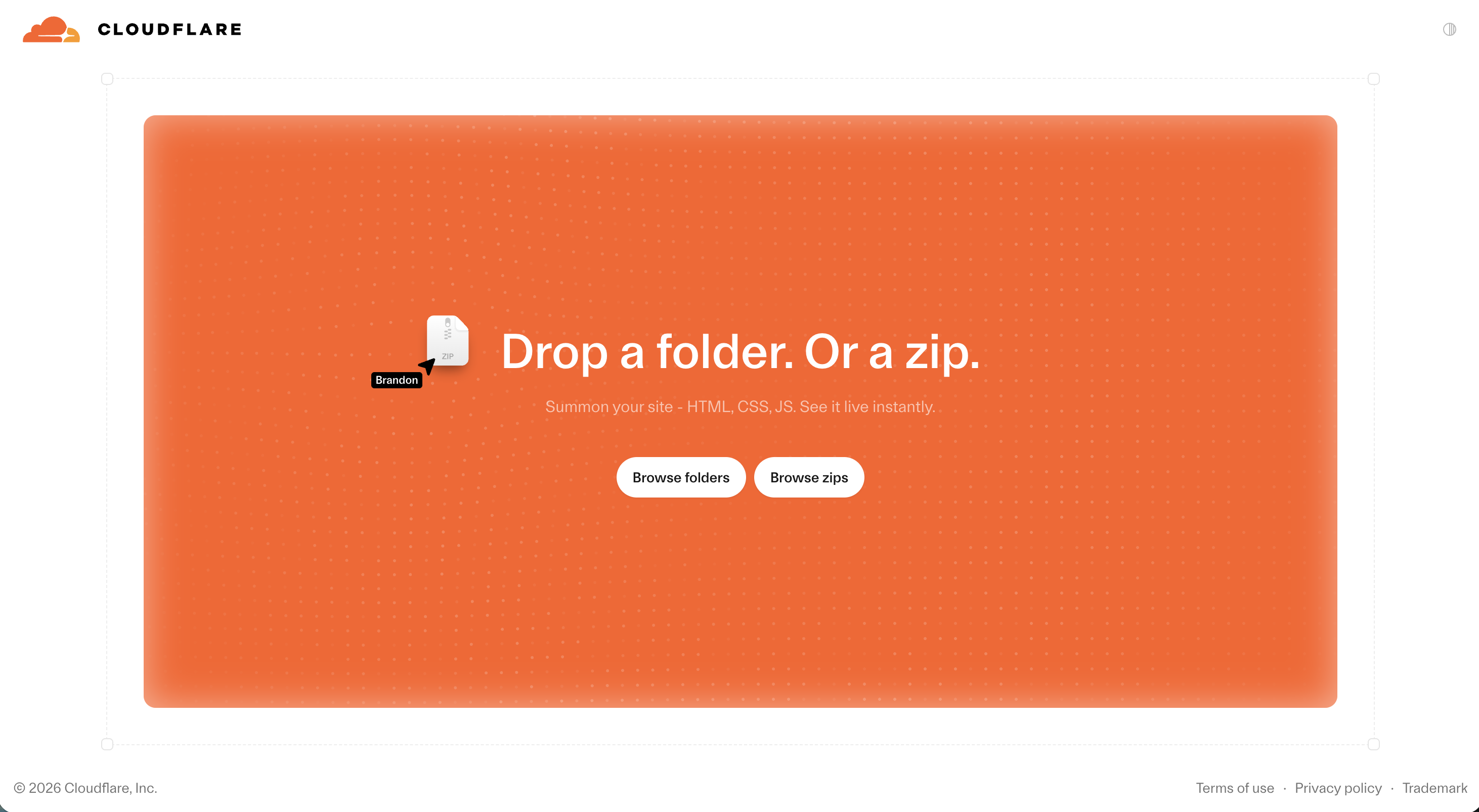
The screenshot above is the entire interface. Under the hood the site is served from Cloudflare’s global network, the same edge infrastructure behind a large share of the web, so first-load performance is excellent. After claiming a site, you can add a custom domain, enable observability, set access controls, and switch on “Markdown for Agents”, a feature that renders your content as Markdown for AI crawlers and assistants. That last one is telling: Cloudflare is building Drop for a world where AI agents both create and read websites.
For a quick client preview, a classroom demo, or a prototype you want feedback on today, it is genuinely excellent. The friction starts when the folder you dropped is not a throwaway.
The Cloudflare Drop limits to know before you drop
None of these are hidden traps; they are how the product is designed. But they matter the moment your site needs a lifespan.
The one-hour claim window
An unclaimed Cloudflare Drop site is deleted after one hour. To keep it, you click Claim, then sign in or create a Cloudflare account and verify your email address. Share the preview link in an email and let an hour pass, and the link is dead before your client opens it.
Claiming is free, but it changes what you are managing. Your site now lives in the Cloudflare dashboard, alongside Workers, DNS zones, R2 buckets, and the rest of a platform built for infrastructure engineers. Adding a custom domain means navigating that dashboard. If you already live in Cloudflare’s ecosystem, that is home. If you just wanted a folder online, it is a lot of cockpit for one static site.
Static files only, and caps Cloudflare has not published yet
Drop accepts static files only: HTML, CSS, JavaScript, images, and fonts, with an index.html file required at the root. There is no build step, so framework projects must be exported to plain files first.
As of launch, Cloudflare has not documented Drop-specific limits on file count or deploy size. What is documented is the platform underneath: Drop runs on Workers static assets, which cap individual files at 25 MiB and allow up to 20,000 files on the free tier. Early hands-on coverage reports the web uploader enforces tighter caps, so treat asset-heavy sites (video, large downloads) as out of scope until Cloudflare publishes numbers.
A workers.dev address until you claim and configure
Your site goes live on a generated workers.dev subdomain. It works, but it reads as what it is: a developer platform’s preview URL. Putting a real name on the site means claiming it, then setting up the domain through the Cloudflare dashboard. Reasonable for a developer, a hurdle for everyone else.
Cloudflare Drop vs Netlify Drop vs Vercel Drop
The three launches look identical from a distance, but they make different bets. Netlify Drop is the veteran: folder upload only, a one-hour claim window for anonymous deploys, a 50 MB deploy guidance, and the useful ability to update an existing site by re-dropping onto its Deploys page. Vercel Drop is account-first: you pick a team and a project before anything goes live, it can build framework projects like Next.js rather than only serving plain files, and each drop creates a new deployment. Cloudflare Drop is the most anonymous of the three: no account for the first hour, ZIP support, and the fastest path from gesture to URL, on workers.dev.
What none of them bet on is permanence. All three produce a site whose default fate is to expire or to be absorbed into a developer dashboard. We covered the veteran in depth in Netlify Drop vs Supadrop; the same conclusion applies across the trio.
Supadrop: when the dropped folder is the actual site
Supadrop starts from the opposite premise: the drop is not a preview of the product, it is the product. The entire platform is one loop: drop a file, get a permanent link, share it.
Permanent by default, updated with the same gesture
Drop a ZIP, an HTML file, or a PDF and the site is live in under 30 seconds, with CDN delivery and automatic SSL. There is no claim countdown; the site stays online for as long as your account does. Updating is the same drag-and-drop gesture, because iterating on a live site is the intended workflow, not a fallback. For simple projects, the HTML hosting use case shows the full loop, and our walkthrough on hosting an HTML file online for free covers the same steps on every major platform.
Every site also gets a built-in QR code, which turns a dropped folder into something you can print on a menu, a poster, or a business card. That single feature is why many Supadrop sites belong to restaurants, freelancers, and event organizers rather than developers.
Flat pricing, no dashboard maze
Supadrop is $5 per month flat after a 15-day free trial with no credit card required, and every paid plan includes unlimited bandwidth and custom domains. Connecting a domain is a guided step in the same simple dashboard you dropped the file into, not a detour through DNS zone management.
What Supadrop does not do
The honesty section: Supadrop hosts static sites only. No serverless functions, no Git-triggered builds, no deploy previews wired to pull requests, and no free tier beyond the trial. If you need edge functions or a full CI/CD pipeline, Cloudflare’s broader platform is genuinely strong, and our Netlify alternatives guide covers where Cloudflare Pages fits in that landscape. Supadrop competes with the drop workflow, not with Cloudflare’s infrastructure business.
Head-to-head comparison
- The drop is the product: permanent sites, updated by re-dropping
- $5/mo flat with unlimited bandwidth after a 15-day free trial
- Custom domains, SSL, and a QR code per site included
- One simple dashboard, no infrastructure concepts
- Free, instant, no account needed for the first hour
- Served from Cloudflare's world-class edge network
- Static files only, no build step, caps unpublished at launch
- Claiming moves you into the full Cloudflare dashboard
How to choose between Cloudflare Drop and Supadrop
Choose Cloudflare Drop when the site is disposable or you are Cloudflare-native. A prototype for this afternoon’s meeting, a quick test of an AI export, a demo for a classroom: the one-hour preview costs nothing and performs brilliantly. And if you already manage domains and Workers on Cloudflare, claiming a Drop site into that account is the natural move.
Choose Supadrop when the folder is the deliverable. If the site needs to survive the week, carry a custom domain a non-developer can set up, or hang on a wall as a QR code, the claim-window-and-dashboard path becomes friction you pay on every site. Supadrop’s flat $5/mo after the trial buys the version of drag-and-drop hosting where permanence is the default, not the reward for completing account setup.
It is the same conclusion we reached comparing Netlify Drop vs Supadrop: the giants built superb funnels, and funnels are what they are. When the drop is your whole workflow, you want the tool where the drop is the whole product. Start your 15-day free trial and your first site will outlive every preview link on this page.
Frequently asked questions
Is Cloudflare Drop free?
Yes. Deploying with Cloudflare Drop costs nothing and the initial upload needs no account. The site is a one-hour preview; keeping it requires claiming it with a free Cloudflare account, after which it runs under the free Workers tier and its limits.
Supadrop is priced differently on purpose: a 15-day free trial, then $5/mo flat with unlimited bandwidth, so a site that takes off never turns into a surprise invoice or a plan-upgrade decision.
Do Cloudflare Drop sites expire?
Yes. An unclaimed site is deleted one hour after deployment. Claim it into a Cloudflare account (email verification required for new accounts) and it stays online as a regular Cloudflare deployment.
Supadrop has no claim window: a dropped site is permanent while your account is active, and updating it is the same drag-and-drop gesture, as shown in the HTML hosting use case.
What are the Cloudflare Drop limits?
Cloudflare has not published Drop-specific caps at launch. What is documented: static files only (HTML, CSS, JavaScript, images, fonts), an index.html required at the root, no build step, and the underlying Workers static assets platform’s hard limit of 25 MiB per file. Sites live on a generated workers.dev subdomain; custom domains come after claiming, through the Cloudflare dashboard.
If your export is asset-heavy, compress images before deploying regardless of host; our free HTML hosting guide covers preparing a folder for upload.
What is the difference between Cloudflare Drop and Netlify Drop?
They are close cousins. Both deploy a static folder by drag and drop in seconds, both produce a temporary site, and both delete unclaimed anonymous deploys after one hour. Cloudflare Drop also accepts ZIP files and serves from workers.dev on Cloudflare’s edge; Netlify Drop uses netlify.app subdomains, can update an existing site by re-dropping, and recommends staying under 50 MB per deploy with files under 10 MB.
The full breakdown of Netlify’s version, including the limits its docs and forums document, is in our Netlify Drop vs Supadrop comparison.
What is the best Cloudflare Drop alternative?
Supadrop is the closest like-for-like alternative, because it makes the drag-and-drop workflow permanent instead of a preview. You drop a ZIP, HTML, or PDF and get a live URL with a built-in QR code in under 30 seconds, with unlimited bandwidth, custom domains, and automatic SSL from $5/mo after a 15-day free trial.
If what you want is Cloudflare’s platform without the dashboard learning curve, there is no shortcut: the dashboard is the product. Our Netlify alternatives guide maps the wider field, including Cloudflare Pages, for Git-based workflows.