Adding a custom domain to a static site takes four steps: pick and buy the domain, verify ownership with a TXT record, point your DNS with an ALIAS or CNAME record, and let your host issue a free SSL certificate. The whole process takes about 15 minutes plus DNS propagation time. This guide walks through each step in order, and the DNS part works the same whether your static hosting is Supadrop or another provider.
Why a custom domain static site beats a generic URL
Launching a website has never been faster, but relying on a default provider URL is often just a temporary starting point. Transitioning to a professional branded presence is what truly separates a hobby from a business.
Distinguishing your brand from generic subdomains
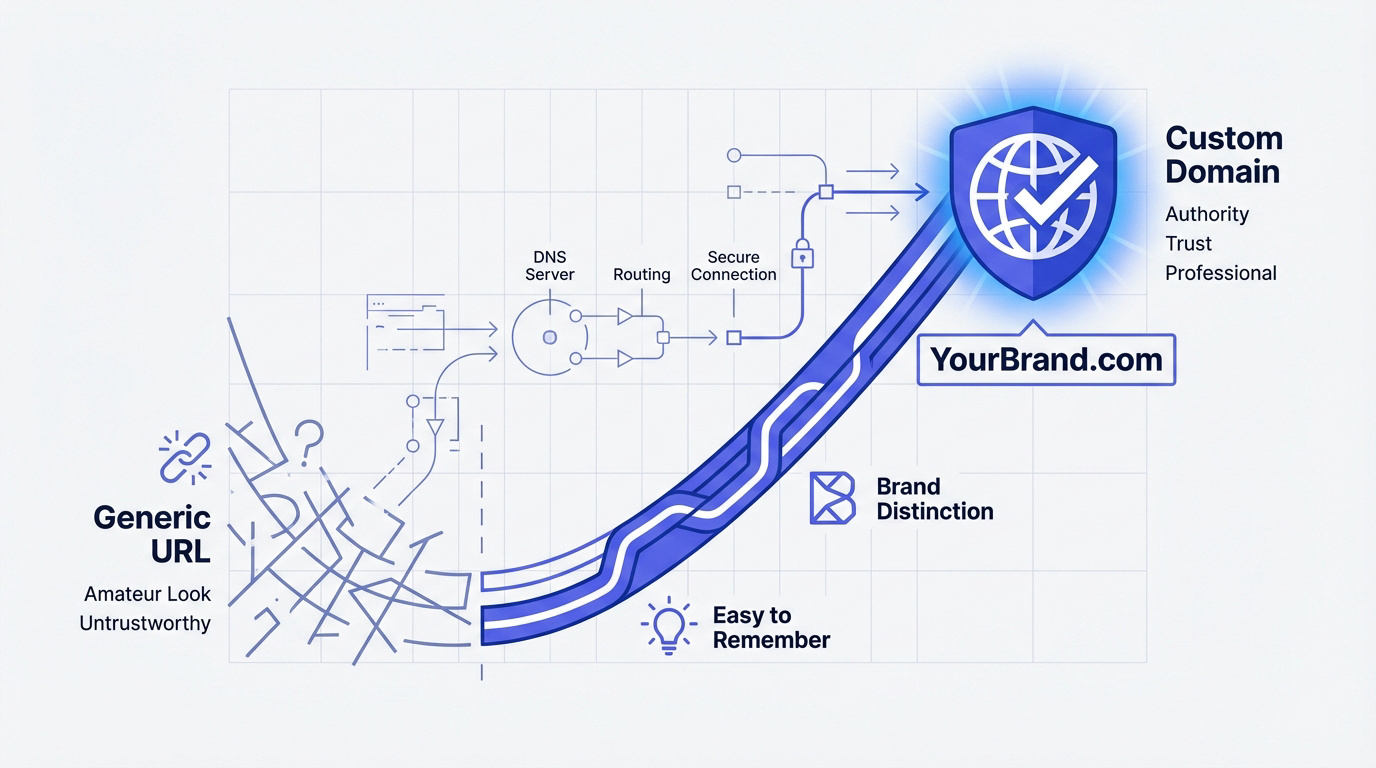
A generic subdomain often looks amateur to the casual observer. It suggests you aren’t fully invested in your project yet. A custom domain immediately signals authority and long-term professional intent.
Trust is the primary currency of the modern web. Visitors frequently hesitate to click on strange, long URLs they do not recognize. Branded domains remove that friction. They make your site feel like a legitimate business rather than a temporary experiment.
Custom domains are also significantly easier to remember. Your customers will find you much faster without searching through their browser history.
Comparing root domains and subdomains
Let’s break down the core terminology. The root or apex domain is the clean version like “mysite.com”. The “www” part is technically a subdomain of that specific root.
Most modern sites utilize both for maximum reach. You want users to find you whether they type the prefix or not. It is about maintaining consistency across marketing materials and social media profiles.
For static sites, choosing the right structure helps with SEO and speed. Understanding a static vs dynamic website comparison ensures you pick the best architecture for your custom domain’s performance.
Picking a professional name for your business
Keep your choice short and punchy. Avoid hyphens or numbers that make your URL difficult to say out loud during a conversation.
Extensions matter for your specific niche. While .com remains the gold standard, .io or .me work great for tech portfolios. Pick something that fits your brand’s vibe and looks clean on mobile screens.
To ensure a smooth user experience, follow these simple rules:
- use only lowercase letters
- Avoid double letters that cause typos
- Check social media availability for the same name
Once you have selected the perfect name, the next logical step is learning How to Add a Custom Domain to Your Static Website to finalize your professional setup.
Adding your domain to the Supadrop dashboard
Once you have your perfect name, it’s time to tell Supadrop where to find it.
Entering your domain in the settings
Open your project settings in Supadrop. Find the “Domains” tab and type in your name. The system is smart enough to handle the rest of the initial detection.
It only takes a few seconds. You don’t need to be a developer to click “Add”. We designed this to be as fast as dropping a file.
This simplicity is why users choose Supadrop for hosting. Connecting a custom domain is included in all our paid plans. It makes your professional presence official instantly.
Using TXT records for ownership verification
Security comes first. We need to know you actually own the domain. This is where the TXT record comes into play as a digital handshake.
According to technical standards for static web apps, TXT token validation is now the security norm. This process prevents unauthorized hijacking of your web address. Copy the unique code shown in your dashboard.
Head over to your registrar. Paste that code into a new TXT record and save your changes.
How to point DNS records to your static site
Verification is done, but now we need to route your actual traffic to our servers.
Creating CNAME records for the WWW version
A CNAME record acts like an alias. It tells the internet that “www.yoursite.com” should point to your Supadrop URL. It is the most flexible way to manage subdomains effectively.
You should configure a CNAME record with your external registrar to map your subdomain. Use the specific target address provided in your settings. This ensures your traffic reaches the correct destination.
Most registrars have a “DNS Management” section. Look for the “Add Record” button. Select CNAME and enter “www” as the host to finalize the link between your domain and site.
Using ALIAS records for the root domain
Root domains are trickier. Standard CNAMEs often do not work for the apex. This is why many modern providers offer ALIAS or ANAME records instead for better root domain management.
This method is called “CNAME flattening”. It gives you the flexibility of a CNAME at the root level. It is much better than hardcoding IP addresses. Your site stays live even if our internal infrastructure shifts.
If your registrar supports it, always choose ALIAS. It simplifies your life and keeps things running smoothly. This choice provides the best balance of stability and performance for your visitors.
Setting up A records as a fallback
Some older registrars do not support ALIAS records. In those cases, you will need to use an A record. This points your domain directly to a specific IP address provided.
| Record Type | Use Case | Recommended |
|---|---|---|
| CNAME | For subdomains like www | Yes, for subdomains |
| ALIAS | For root domain (apex) | Yes, for modern DNS |
| A Record | For root domain (apex) | No, legacy fallback only |
Only use this if you have no other choice. Static IPs can be less resilient for global distribution. It works, but it is the “old school” way of handling web traffic.
Solving propagation issues and securing your site
You’ve hit save, but the site isn’t showing up yet. Don’t panic, this is normal.
Waiting for DNS changes to go live
DNS changes need time to spread across the globe. This is called propagation. It can take anywhere from five minutes to a few hours.
Use an online “DNS Checker” to see if your records are updating. Sometimes your computer remembers the old settings. Try clearing your browser cache or using a private window. This often reveals the new site instantly.
Patience is key here. If it’s been 24 hours and nothing works, double-check your typos.
Getting free SSL security automatically
Once the domain points to us, we handle the security. We automatically generate an SSL certificate for you. This gives you that “lock” icon in the browser.
Establishing secure hosting is a major advantage, and every platform in our comparison of static hosting platforms provisions SSL automatically. HTTPS is mandatory for ranking well today. It protects your users and boosts your visibility.
You never have to worry about renewals. We take care of the updates in the background. Your site stays secure and professional without you lifting a finger.
By verifying ownership via TXT records and configuring ALIAS or CNAME pointers, you transform a generic URL into a professional brand. This simple transition ensures global resilience and automatic SSL security. Secure your custom domain today to establish lasting authority and trust for your digital future.
Frequently asked questions
Why is it better to use a custom domain instead of a default URL?
While a default URL is a functional starting point, it often appears amateur and may suggest a lack of long-term investment in your project. A custom domain immediately signals authority and professional intent, making your site feel like a legitimate business rather than a temporary experiment.
Furthermore, branded domains remove friction for your visitors. Trust is the primary currency of the web, and users are far more likely to click on a recognizable name than a long, generic string of characters. Custom domains are also significantly easier to remember, ensuring your audience can return to your site without searching through their history.
What is the difference between a root domain and a subdomain?
The root domain, also known as the apex or naked domain, is the simplest version of your address, such as “mysite.com”. In contrast, a subdomain like “www” is technically a prefix added to that root. Most modern websites utilize both to ensure a consistent experience across marketing materials and social media.
Choosing the correct structure is essential for your online presence. For those utilizing static site hosting, a well-configured domain structure helps improve both SEO and loading speeds. It ensures that users reach your content regardless of whether they type the “www” prefix or not.
How do I verify that I own my domain in the dashboard?
Security is a top priority, which is why you must complete a digital handshake known as TXT record verification. This process confirms that you have administrative control over the domain. You simply need to copy the unique verification token provided in your project settings and add it to your registrar’s DNS configuration.
According to industry standards for securing static web apps, TXT validation is the modern benchmark for ownership verification. Once you paste this code into a new TXT record at your registrar and save the changes, the system can safely proceed with the connection.
Should I use an ALIAS record or an A record for my root domain?
If your domain registrar supports it, an ALIAS or ANAME record is the superior choice for a root domain. This method, often called “CNAME flattening,” provides the flexibility of a CNAME at the apex level. It allows your site to remain live even if the underlying hosting infrastructure shifts, offering better resilience than a fixed IP address.
An A record should only be used as a fallback if your registrar is older and does not support modern record types. While an A record points your domain directly to a specific IP address, it is considered a “legacy” approach. For the best performance and global distribution, the ALIAS record is the recommended standard.
How long does it take for my new domain settings to work?
DNS changes require time to propagate across global servers, a process that can take anywhere from a few minutes to several hours. If your site does not appear immediately, do not panic; this delay is a standard part of how the internet updates its routing information.
To check the progress, you can use an online DNS checker or try clearing your browser cache. Sometimes your computer remembers old settings, and opening a private window can reveal the updated site instantly. If the domain is still not active after 24 hours, it is advisable to double-check your settings for any potential typos.
Is SSL security included automatically for my custom domain?
Yes, security is handled automatically once your domain is correctly pointed to the servers. An SSL certificate is generated for you, which enables the “lock” icon in the browser address bar. This ensures that your visitors enjoy a secure, encrypted connection without any manual intervention on your part.
Maintaining HTTPS is mandatory for modern SEO and site security, and every host in our static hosting platform comparison handles renewals for you. You never have to worry about manual renewals or expiration dates, as the system manages these updates in the background. This allows your site to remain professional and secure while you focus on your content.